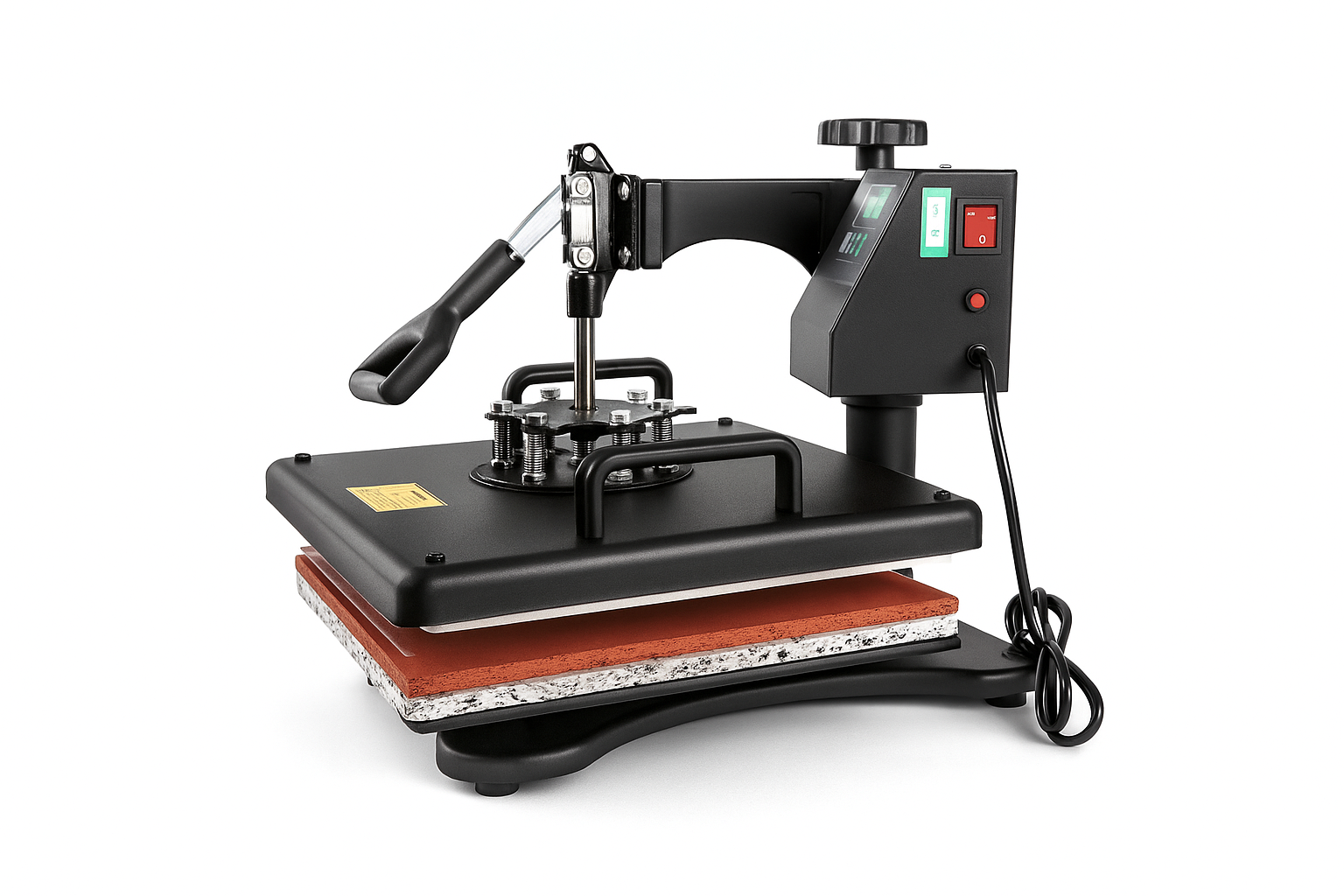
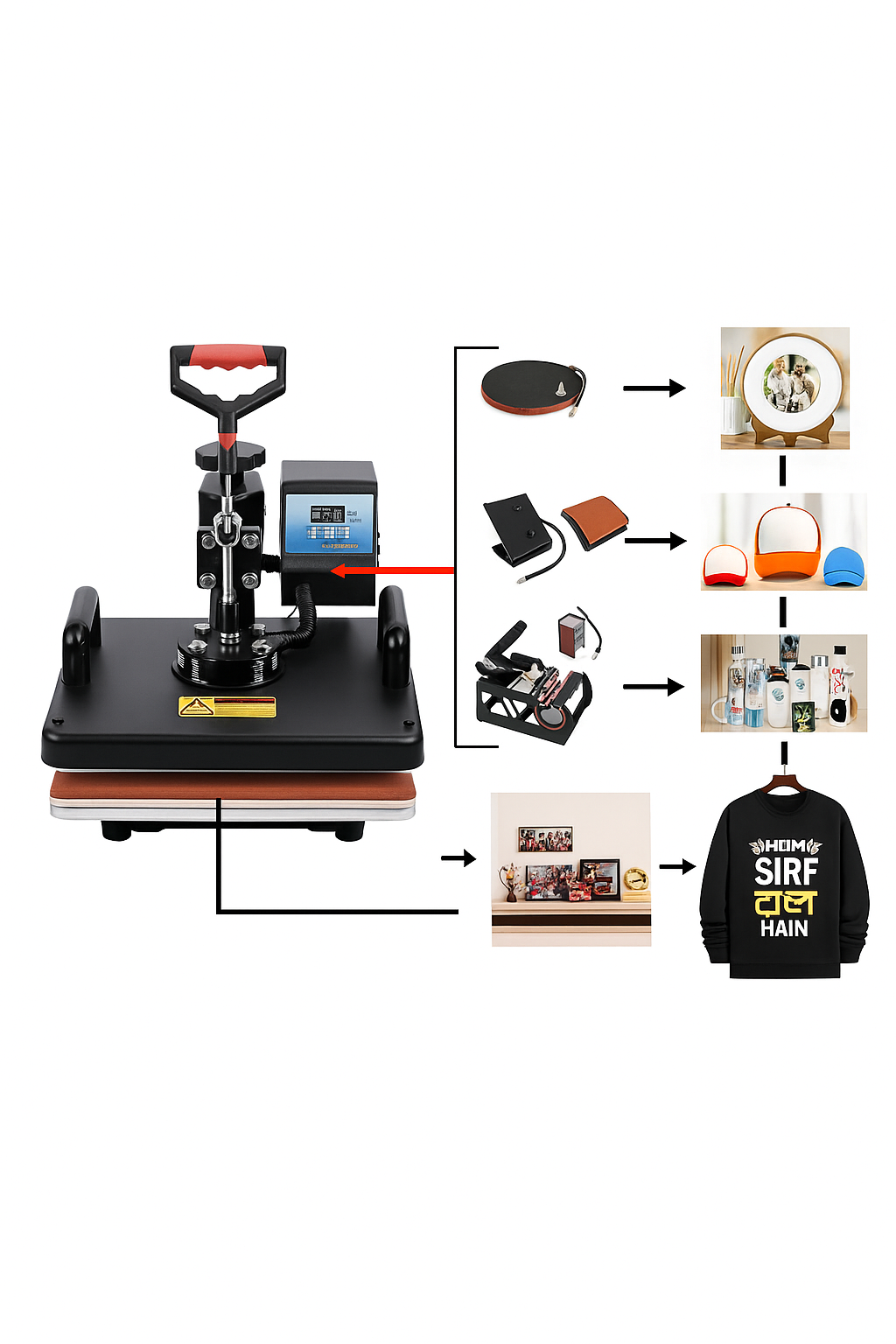
The 5-in-1 Combo Heat Press Machine is a multifunctional sublimation press used to transfer images, graphics, or text onto various products using heat and pressure. It combines multiple attachments for different substrates, making it ideal for small businesses, printing startups, and custom gift product manufacturers.
✅ Key Functions:
-
T-shirt printing (flat surface press)
-
Mug printing (cylindrical heating)
-
Cap printing (curved heating)
-
Plate printing (round surface)
-
Bottle or small object printing (with additional attachment)
Machine Components
| Part |
Function |
| Main Heat Press (12×15″ or 15×15″) |
Used for T-shirts, mouse pads, puzzles, MDF frames, etc. |
| Mug Press Attachment |
Transfers prints on 11oz–15oz mugs. |
| Cap Press Attachment |
For curved surfaces like caps. |
| Plate Press Attachment (2 sizes) |
For small and large plates (5″ & 6″ diameter). |
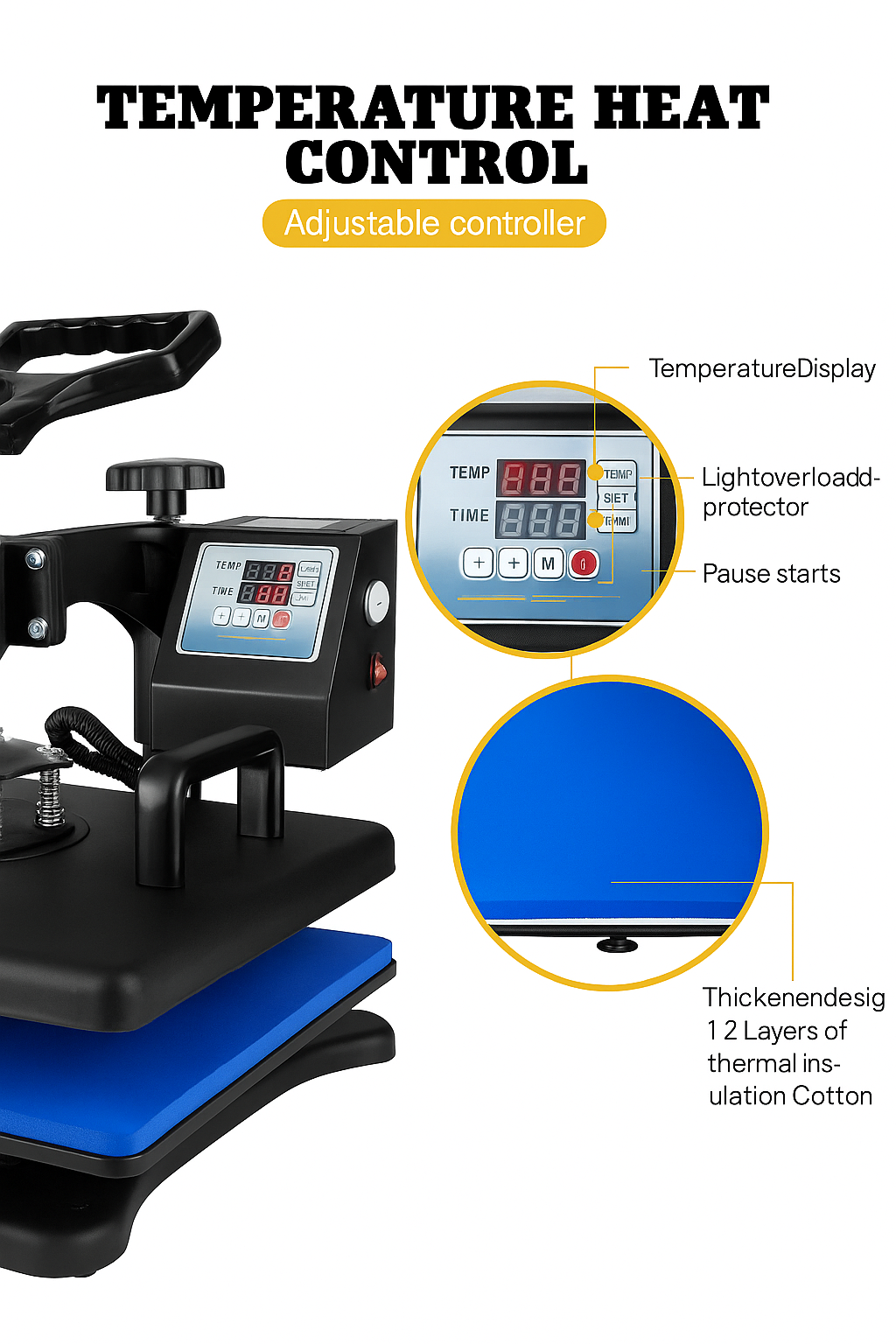
| Control Box |
Displays and adjusts temperature, timer, and pressure. |
Technical Specifications
| Specification |
Details |
| Voltage |
220V / 110V |
| Power |
900W–1250W (depending on size) |
| Temperature Range |
0°C – 399°C |
| Time Range |
0 – 999 seconds |
| Working Size |
12×15 inch (30×38 cm) standard |
| Pressure Type |
Adjustable manual pressure |
| Weight |
25–35 kg (approx) |
| Material |
Steel body with Teflon-coated heat plate |
Operating Instructions
🧩 A. T-Shirt / Flat Press:
-
Preheat to 180–200°C.
-
Set time to 40–60 seconds.
-
Place the printed sublimation paper facing down on the T-shirt.
-
Close the press with medium pressure.
-
After time completes, lift handle slowly and peel paper immediately.
☕ B. Mug Press:
-
Set temperature to 180–200°C and time to 180 seconds.
-
Wrap sublimation paper tightly around the mug.
-
Insert into the mug press, close lever.
-
After the beep, remove and cool the mug naturally.
Cap Press:
-
Set temperature to 180°C, time 60 seconds.
-
Fix the cap tightly over the curved base.
-
Press down firmly and release after beep.
🍽️ D. Plate Press:
-
Temperature 190°C, time 90–120 seconds.
-
Use plate attachment (small or large).
-
Press with medium pressure.
Maintenance & Safety Tips
-
Always preheat before starting any job.
-
Do not touch the heat platen directly while hot.
-
Clean the surface regularly with a soft, dry cloth.
-
Avoid overheating to prevent sublimation burns.
-
Turn off machine after each use.
-
Keep away from moisture and direct sunlight.
-
Replace attachments only when the machine is off and cool.
Common Problems & Solutions
| Issue |
Possible Cause |
Solution |
| Print not clear |
Low temperature or short time |
Increase temperature/time slightly |
| Uneven print |
Uneven pressure |
Adjust pressure knob evenly |
| Machine not heating |
Fuse blown / wire loose |
Check fuse and power cable |
| Paper sticking |
Overheating |
Reduce temperature or time |
| Image dull |
Poor quality sublimation paper/ink |
Use high-quality paper and ink |
Applications
-
T-Shirts, Hoodies, and Garments
-
Mugs and Bottles
-
Caps and Hats
-
Plates and Tiles
-
Mouse Pads and Cushions
-
MDF Frames, Keychains, and Clocks
Ideal For
-
Sublimation Gift Shops
-
Startups & Small Businesses
-
Custom Merchandise Sellers
-
Online Print-on-Demand Stores
-
5 Stars
-
4 Stars
-
3 Stars
-
2 Stars
-
1 Stars
Average Star Rating: 0.0 out of 5
(0 vote)
If you finish the payment today, your order will arrive within the estimated delivery time.
Only logged in customers who have purchased this product may leave a review.




Reviews
There are no reviews yet.